Moving here
One press brings it over. A bridge keeps both alive.
Moving is the reason teams stay with a tool they have outgrown. Here it takes one sitting, nobody does the work twice, and you can stop whenever you like.
Three ways, all the same press
1
Move everything
Press once. Projects, tasks, owners, dates, fields and comments arrive as a snapshot you preview before anything is written.
2
Run both while you move
Open the bridge. A task changed here changes there, and a task changed there comes here, so the team moves at its own pace.
3
Steer it from here
Tell the coach what to do. It works here, the bridge carries it there, and the old tool stays right without anyone opening it.
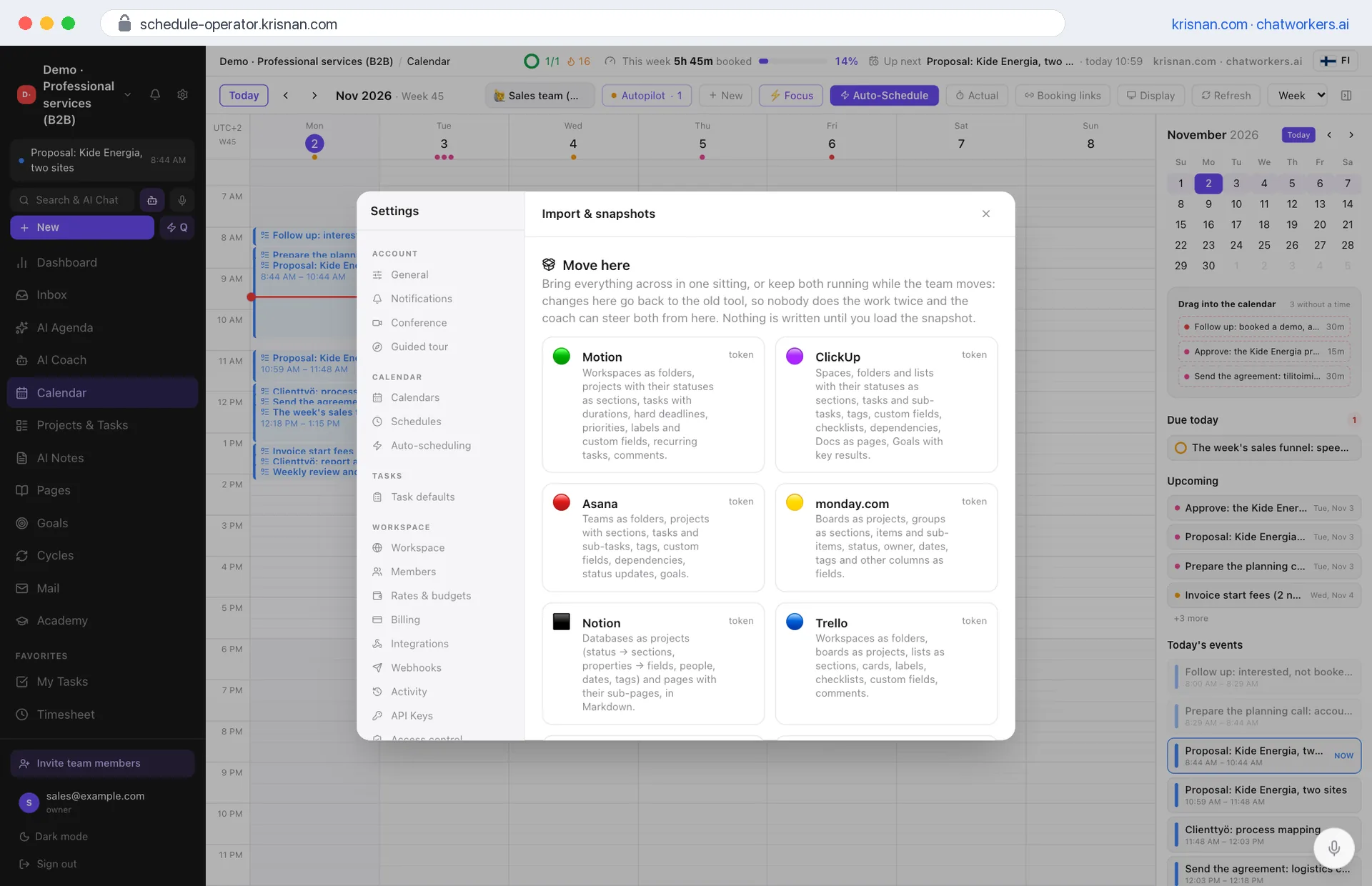
From these, one press
Motion
Workspaces, projects, statuses, tasks with durations and hard deadlines, priorities, labels, custom fields, recurring tasks, comments.
Why moveClickUp
Spaces, folders, lists, statuses, tasks and sub-tasks, tags, custom fields, checklists, dependencies, Docs, goals.
Why moveAsana
Teams, projects, sections, tasks and sub-tasks, tags, custom fields, dependencies, status updates, goals.
Why movemonday.com
Boards, groups, items and sub-items, status, owner, dates, tags and other columns.
Why moveTrello
Boards, lists, cards, labels, checklists, custom fields, comments.
Linear
Teams, projects, issues, states, priorities, labels, estimates, sub-issues, relations, documents.
Jira
Projects, issues, workflow statuses, priorities, labels, due dates, estimates, sub-tasks, blocking links, comments.
Wrike
Projects, tasks and sub-tasks, status, importance, dates, durations, owners.
Todoist
Projects, sections, tasks, recurring rules, labels, filters, comments, attachments and the history.
Excel · CSV
Any other tool: columns are recognised, and you can correct them before anything is written.
Four steps
1
Press
Settings → Move here → your tool. Paste the key, or connect the account.
2
Choose
See what the account holds and pick the lists, boards or teams. Nothing is written yet.
3
Preview
Counts first: what is new, what matches, what stays. What you change here always wins.
4
Work
Autopilot gives everything a place in the week within minutes. The old tool stays up to date until you close the bridge.
In every package we do the move with you. Closing a bridge keeps everything here and deletes the key.
Why the old tool goes quiet by itself
- The plan is here, so the morning starts here.
- The people who were asked are here.
- The hours, the bookings and the invoices are here.
- One day someone notices nobody has opened the old tool in a month.
The next Tuesday is already on its way. Let it find you ready.
Thirty minutes, and your first week is planned in the call. If it does not fit you, you will hear it from us first.